


How To Download Your E-OCI Card: A Step-by-Step Guide For Existing OCI Cardholders
The CSR Journal Magazine

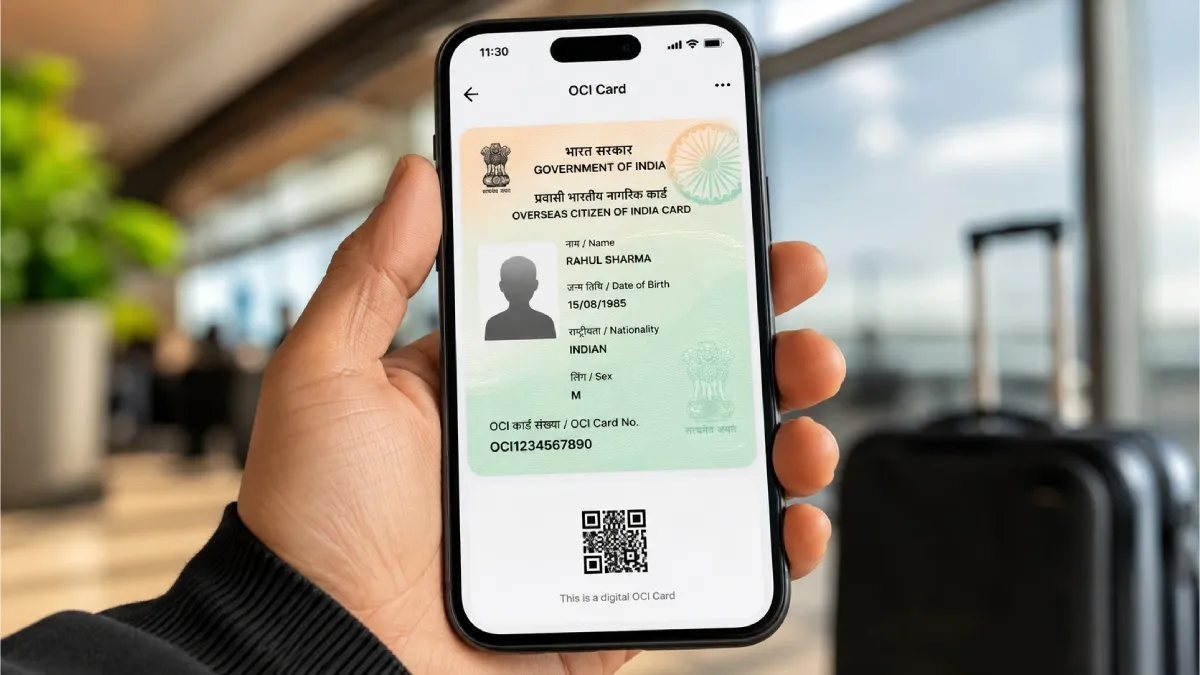
The e-OCI Card represents an official digital adaptation of the Overseas Citizen of India (OCI) card, designed to be stored conveniently on a smartphone. This innovation by the Government of India aims to streamline access for existing OCI cardholders, enhancing convenience during travel and identity verification. Through the OCI Services Portal, users can generate and download their e-OCI card with relative ease.

Eligibility For Downloading The E-OCI Card

The option to download the e-OCI card is exclusively available for current holders of the physical OCI card. If an individual possesses an OCI card, they can generate a digital version via the official OCI Services Portal. This facilitates an efficient process, allowing users to integrate their OCI credentials into their mobile devices.

Those who have not yet registered on the portal must complete the registration process. This involves using the same email address that was submitted during the original OCI application. This step ensures that the information is linked correctly for the generation of the e-OCI card.

The accessibility of this service signifies a crucial development for OCI cardholders, allowing them to manage and present their identification digitally, thereby reducing reliance on physical documents during international travel.

Steps To Generate And Download The E-OCI Card

The process to obtain the e-OCI card is straightforward. Initially, users must access the official OCI Services Portal. Upon arrival, they should log in using their existing User ID and Password. If prior registration has not been completed, users are advised to follow the registration protocol as outlined.

Once logged in, the next action is to navigate to the dashboard and select the e-OCI tab. This step will lead to the display of the user’s OCI application details. In the designated column, users can then click on the option to generate the e-OCI card, following which the card will be available for download.

After the generation, users should ensure to download the e-OCI card promptly and store it securely on their mobile phones or trusted devices. This digital card can be presented at Immigration Check Posts and to airline staff, making it a practical tool during international journeys.

Validity Of The Physical OCI Card

Utilising the e-OCI card offers several advantages, including ease of access via smartphones, convenient digital storage, and quick presentation during travel and immigration processes. This development marks a significant progression in how OCI cardholders can manage their identification and travel requirements.

By following these steps and leveraging the facilities provided by the OCI Services Portal, cardholders can effectively enhance their travel experience. The e-OCI card ensures that OCI credentials are easily accessible while users continue to utilise their existing physical cards, reinforcing the integrity of the identification process for individuals travelling abroad.

Long or Short, get news the way you like. No ads. No redirections. Download Newspin and Stay Alert, The CSR Journal Mobile app, for fast, crisp, clean updates!

App Store –  https://apps.apple.com/in/app/newspin/id6746449540 

Google Play Store – https://play.google.com/store/apps/details?id=com.inventifweb.newspin&pcampaignid=web_share

Latest News

Popular Videos
