


How to Download and Set Up the New Aadhaar App: Step-by-Step Guide
The CSR Journal Magazine

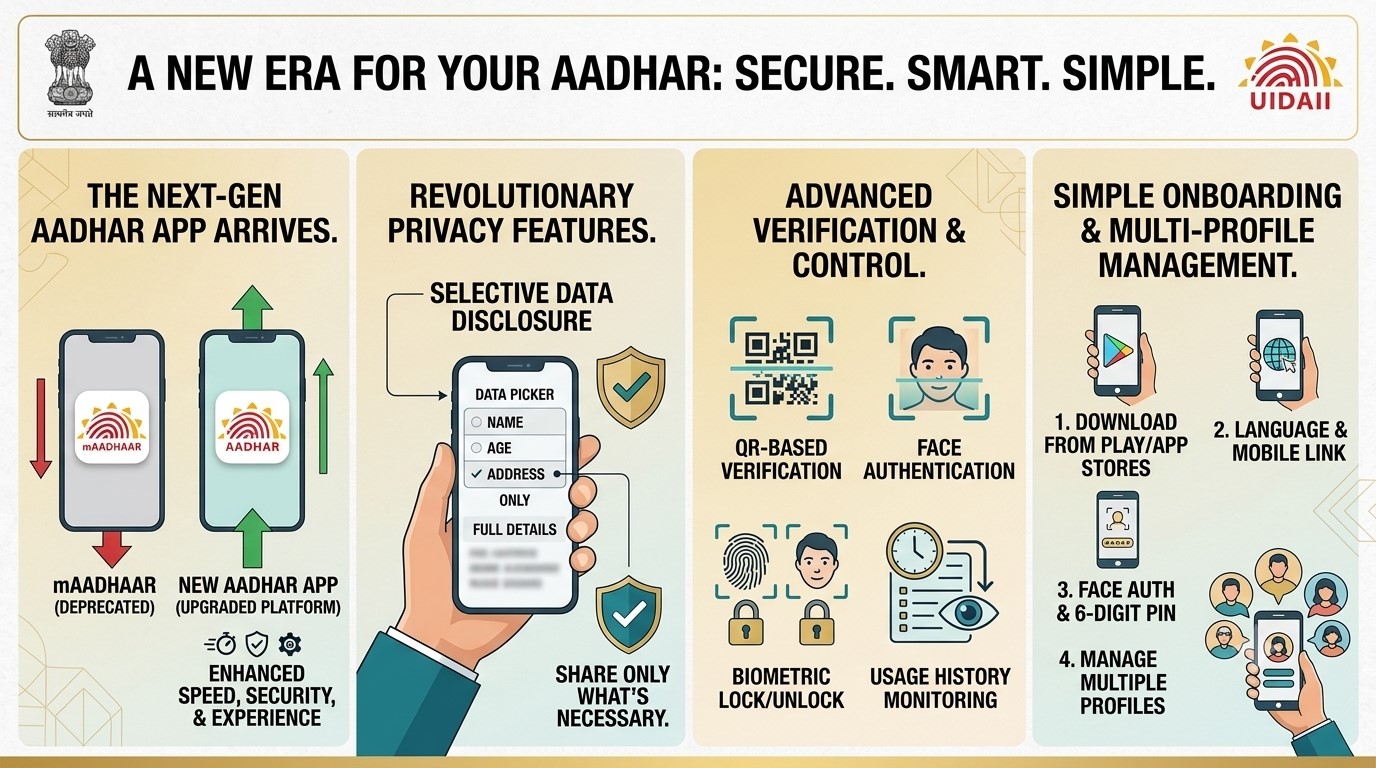
The mAadhaar app, used by millions of Indians, will soon be replaced as the government introduces a new Aadhaar mobile application. This change comes as part of an initiative to provide an upgraded platform that enhances speed, security, and user experience. Users are encouraged to migrate to the new Aadhaar app to take advantage of its advanced features.

The latest app promises to transform how Aadhaar verification is conducted. This means that instead of sharing complete Aadhaar details each time, users can now selectively disclose only the information that is necessary for verification. The intent behind this update is to enhance privacy and offer users greater control over their personal information.

This transition aligns with the objectives of the Unique Identification Authority of India (UIDAI), which aims to bolster data privacy and security in digital transactions. While the mAadhaar app remains operational for the time being, its discontinuation is anticipated in the near future, urging citizens to adopt the new platform promptly.

Features of the New Aadhaar App

The new Aadhaar app, launched officially in January 2026, introduces several significant features not present in the mAadhaar app. One major improvement is the selective sharing option, which allows users to only provide specific details such as their name, age, or address when required, thereby minimising unnecessary data exposure.

Additionally, the app employs QR-based verification methods. Users can verify their identity digitally through QR codes, eliminating the need to share excessive details. Another crucial innovation within the app is the integration of Face Authentication, enhancing security during the verification process.

The app now empowers users to lock or unlock their Aadhaar biometric data, including fingerprint and facial recognition features, directly from their smartphones. Furthermore, users have the ability to monitor where and when their Aadhaar credentials have been utilised, facilitating better security management and identifying any suspicious activity.

Guide to Downloading and Setting Up the New Aadhaar App

The new Aadhaar app can be accessed on both Android and Apple iOS platforms. Users can easily download it from the Google Play Store or Apple App Store. Once downloaded, the onboarding process requires users to follow specific steps to set up their account securely.

The initial step involves choosing a preferred language followed by entering the mobile number linked to the Aadhaar account. An OTP will then be sent for verification, which users must confirm before proceeding to complete Face Authentication as part of the setup.

After finishing the face authentication, users are prompted to create a six-digit security PIN for added protection. They must then enter their Aadhaar details and undergo another OTP verification step before the account becomes fully operational. This thorough onboarding process demonstrates the app’s commitment to security.

The new platform also enables users to manage multiple Aadhaar profiles from a single device, accommodating families with several members linked to one mobile number. Updates to mobile numbers and addresses can also be carried out through the app, further increasing convenience and reducing the need for physical visits to Aadhaar centres.

Long or Short, get news the way you like. No ads. No redirections. Download Newspin and Stay Alert, The CSR Journal Mobile app, for fast, crisp, clean updates!

App Store –  https://apps.apple.com/in/app/newspin/id6746449540 

Google Play Store – https://play.google.com/store/apps/details?id=com.inventifweb.newspin&pcampaignid=web_share

Latest News

Popular Videos
