

Laptops Can Catch Fire Due to Misuse

The CSR Journal Magazine

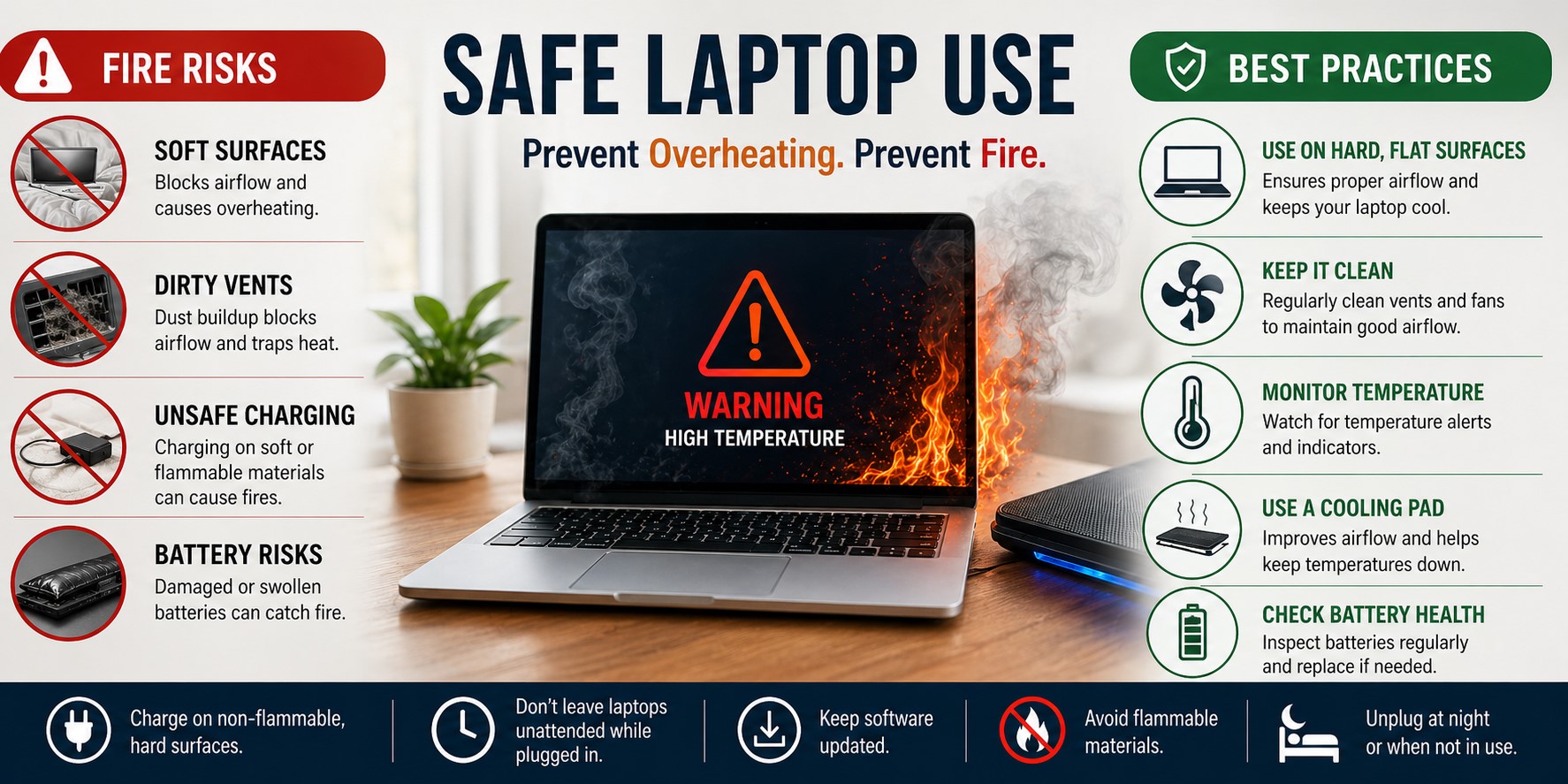
Recent reports highlight significant fire risks associated with improper laptop usage. Many users may unknowingly engage in practices that could lead to overheating and potential combustion. This issue has been receiving increasing attention as more incidents are reported across various regions.

One primary concern is the use of laptops on soft surfaces such as beds or couches. These environments can block ventilation, causing the device to overheat. Laptops are designed to be used on hard, flat surfaces to maximise airflow and maintain optimal operating temperatures.

Additionally, users might neglect to clean the cooling vents and fans regularly. Dust accumulation can impede airflow, further exacerbating the overheating problem. It is essential for users to maintain their devices properly to reduce fire hazards.

Incidents and Safety Protocols

Several alarming incidents have been documented, with cases of laptops catching fire while being used improperly. In particular, instances where users left their devices charging on unyielding materials have raised concerns regarding fire safety. It is crucial for users to be vigilant and adopt safer charging practices.

Experts recommend that users should always charge their laptops on non-flammable surfaces. Furthermore, individuals are advised against leaving devices unattended while they are plugged in, especially overnight. This precaution can significantly lessen the likelihood of dangerous situations.

In light of these incidents, manufacturers have been urged to provide clearer warnings and guidelines tailored to user safety. There is an emphasis on promoting awareness around the potential hazards of negligent laptop use, ensuring users are informed of best practices.

Best Practices for Safe Laptop Usage

To promote safety, it is recommended that users familiarize themselves with their laptop’s temperature thresholds. Most devices include indicators when they are running at excessive temperatures. Awareness of these indicators can help users make informed decisions when using their devices.

Regular maintenance is essential. Users should clean their devices routinely, removing dust and debris that can clog cooling systems. Furthermore, keeping the device updated with the latest software can improve performance and help in managing temperature control effectively.

Using a laptop cooling pad is another excellent preventive measure. These pads enhance airflow and help maintain the laptop’s temperature during prolonged use. They are particularly beneficial for users who often engage in high-performance tasks, such as gaming or graphic design.

Lastly, users should be aware of their devices’ battery conditions. A damaged or swollen battery can pose a significant fire risk. Regularly checking and, if necessary, replacing an old or faulty battery can further ensure safe operation.

Long or Short, get news the way you like. No ads. No redirections. Download Newspin and Stay Alert, The CSR Journal Mobile app, for fast, crisp, clean updates!

App Store –  https://apps.apple.com/in/app/newspin/id6746449540 

Google Play Store – https://play.google.com/store/apps/details?id=com.inventifweb.newspin&pcampaignid=web_share

Latest News

Popular Videos