


Download e-Aadhaar Online via UIDAI with Aadhaar Number or Enrolment ID
The CSR Journal Magazine

Residents can obtain their Aadhaar details without needing a physical card, as the Unique Identification Authority of India (UIDAI) offers an electronic version known as e-Aadhaar. This digital document is available for download via the UIDAI’s official website. The e-Aadhaar is digitally signed and secured with a password, enabling users to store it electronically or print it as necessary.

To initiate the download process, individuals must visit the UIDAI website and locate the Aadhaar download service. Alternatively, the myAadhaar portal also provides access to this facility. Users should prepare their 12-digit Aadhaar number, Enrolment ID, or other accepted identification details, depending on the chosen method. Access to the mobile number registered with the Aadhaar is typically required for completing OTP-based authentication.

Steps To Download Your e-Aadhaar

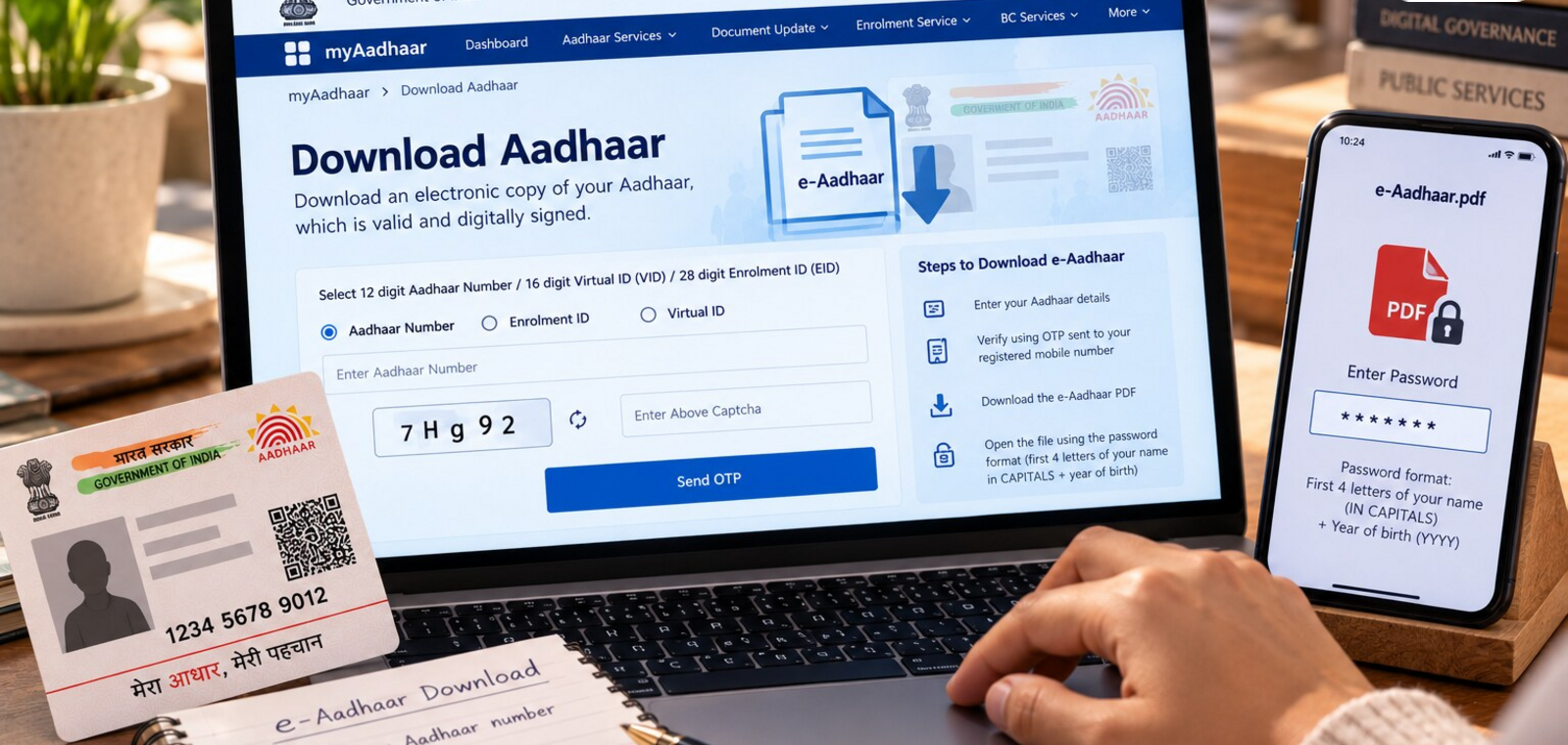
The process of downloading e-Aadhaar involves several straightforward steps. First, users should navigate to the official myAadhaar portal. Next, they need to select the option to download Aadhaar and choose the identification method, such as their Aadhaar number or Enrolment ID. After entering the required details, users must complete the security verification that appears on the screen.

Following this, a one-time password (OTP) will be sent to the registered mobile number, which must be entered to verify access. Once the information has been confirmed as accurate, users can proceed to download the e-Aadhaar PDF to their device. The specific options available may differ based on the chosen service and authentication method.

UIDAI also offers a time-based one-time password (T-OTP) for supported services, which can be generated through the official application. This adds an additional layer of security during the download process.

Understanding e-Aadhaar Security and Validity

OTP verification plays a crucial role in ensuring the security of the e-Aadhaar download process. The OTP is sent to the mobile number linked to the Aadhaar and is essential for verifying user access. If individuals no longer have access to this number, they may find it challenging to complete the OTP-based process. It is advisable to consult UIDAI’s official guidance for alternative methods instead of relying on unofficial websites or third-party services. Users should never share their OTP with others.

When it comes to the password for the e-Aadhaar PDF, it is designed to be secure. According to UIDAI guidelines, the password consists of the first four letters of the user’s name in capital letters followed by their year of birth in YYYY format. For instance, if the name is RAHUL KUMAR and the year of birth is 1998, the password would be RAHU1998. If the file fails to open, users should verify the spelling of their name as recorded in Aadhaar and ensure they are using capital letters for the first four characters.

e-Aadhaar is recognised as a valid document. UIDAI confirms that it is a digitally signed electronic document, holding the same legal validity as the physical Aadhaar letter. The digital signature and QR code embedded within the document assist in verifying its authenticity. Users are advised to keep the PDF secure, especially as it contains sensitive personal information. When sharing Aadhaar details, it is important to consider whether the receiving organisation requires the full document or if an alternative, such as a masked Aadhaar, would suffice.

Long or Short, get news the way you like. No ads. No redirections. Download Newspin and Stay Alert, The CSR Journal Mobile app, for fast, crisp, clean updates!

App Store – https://apps.apple.com/in/app/newspin/id6746449540

Google Play Store – https://play.google.com/store/apps/details?id=com.inventifweb.newspin&pcampaignid=web_share

Latest News

Popular Videos
