


app-store-logo
play-store-logo
February 18, 2026

UIDAI Launches New Aadhaar App: How It Fixes Mobile Number Issues, Enables Offline Verification
The CSR Journal Magazine

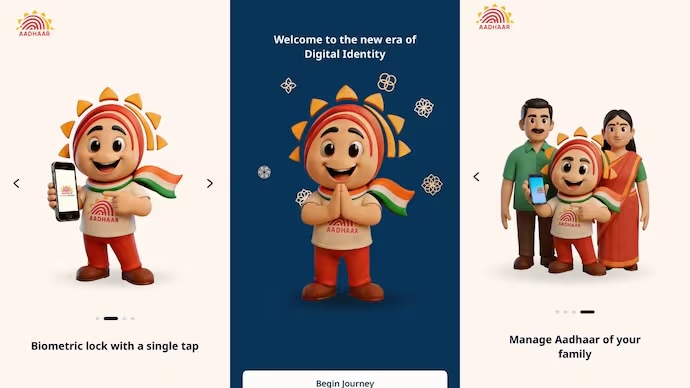
The Government of India has rolled out a new Aadhaar app aimed at simplifying how citizens access and manage Aadhaar related services. Developed by the Unique Identification Authority of India (UIDAI), the app focuses on offline verification, selective data sharing and easier updates to personal details such as mobile numbers and addresses.

For users who have struggled with inactive phone numbers, failed OTPs or repeated visits to Aadhaar Seva Kendras, the new app is positioned as a single platform solution. UIDAI says the app reduces the need for physical Aadhaar copies and lowers the risk of data misuse during routine identity verification.

Available on both Android and iOS, the new Aadhaar app is expected to gradually change how Aadhaar is used for everyday purposes, from hotel check-ins to service registrations.

What Is the New Aadhaar App and Why UIDAI Introduced It

UIDAI has repeatedly flagged concerns around the widespread sharing of Aadhaar photocopies for basic verification. Despite advisories, Aadhaar copies are still commonly submitted at hotels, offices, banks and telecom counters, increasing the risk of unauthorised data storage and identity misuse.

The new Aadhaar app is designed to address these issues by enabling offline Aadhaar verification. This allows individuals to confirm their identity without sharing their Aadhaar number or biometric information. Users can also choose exactly which details to share, making verification more privacy focused.

Alongside verification, the app brings key Aadhaar services such as mobile number and address updates into a single digital interface, reducing dependence on physical centres for routine changes.

How To Download the Aadhaar App and Set It Up

The Aadhaar app is available on official app stores and can be installed in a few simple steps.

To download and get started with the Aadhaar app:

– Open the Google Play Store on Android or the Apple App Store on iOS

– Search for the official “Aadhaar” app published by UIDAI

– Download and install the app on your smartphone

– Select your preferred language during the initial setup

– Complete Aadhaar based authentication to log in

Once set up, users can access verification tools, update services and profile management options from the home screen. UIDAI has advised users to avoid unofficial or lookalike apps.

How Offline Aadhaar Verification Works on the App

Offline verification is one of the key features of the new Aadhaar app. It allows users to prove their identity without an active internet connection or sharing sensitive personal information.

There are two main ways offline Aadhaar verification works:

– Share ID option

Users can generate a password protected Aadhaar file and share only selected details such as name or age. The Aadhaar number remains masked, and no biometric data is shared.

– QR code scanning

The app allows users to scan a QR code displayed by the verifying entity. Verification is completed instantly without handing over physical documents or photocopies.

UIDAI says this system makes routine verification safer while giving users greater control over their data.

How To Update Mobile Number and Address Using the Aadhaar App

The app also aims to solve one of the most common Aadhaar related problems: updating an old or inactive mobile number.

To update your mobile number or address through the Aadhaar app:

– Log in to the Aadhaar app using Aadhaar based authentication

– Go to the ‘Update Aadhaar details’ section on the home screen

– Choose whether you want to update your mobile number or address

– Enter the new details and submit the request

– Complete the required authentication steps within the app

– Pay the applicable nominal fee

Once verified, the update request is processed and reflected in Aadhaar records. UIDAI says this feature reduces the need for physical visits, though some cases may still require additional verification.

Additional Features and New Rules for Organisations

The Aadhaar app also allows users to create up to five Aadhaar profiles on a single device, which can be useful for families managing Aadhaar details for children or dependents. Another feature is the Aadhaar contact card, which enables secure sharing of limited contact information without exposing full identity details.

Alongside the app launch, UIDAI has introduced a new requirement for organisations that wish to use offline Aadhaar verification. Entities such as banks, hotels and service providers must register with the government to access this feature. The move is aimed at preventing misuse and ensuring that only authorised organisations can verify Aadhaar details.

UIDAI expects adoption of the new Aadhaar app to increase gradually, making Aadhaar verification more secure, digital and user controlled across sectors.

Long or Short, get news the way you like. No ads. No redirections. Download Newspin and Stay Alert, The CSR Journal Mobile app, for fast, crisp, clean updates!

App Store –  https://apps.apple.com/in/app/newspin/id6746449540 

Google Play Store – https://play.google.com/store/apps/details?id=com.inventifweb.newspin&pcampaignid=web_share

Latest News

Popular Videos
