


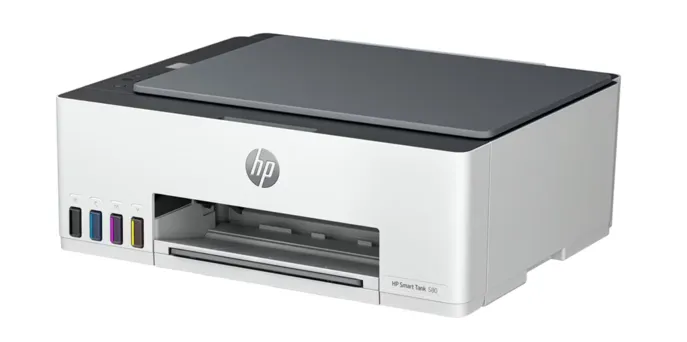

When you have around Rs. 15,000 to spend on a printer, there are quite a few features you can expect. Firstly, a budget ink tank model can cover several everyday printing needs. You can expect print, scan and copy functions, refillable ink tanks, good page yields and for some models, Wi-Fi or USB connectivity. You might face some limitations as well, particularly with features such as automatic duplex printing and ADF support.
Finding the best budget ink tank printer in India therefore comes down to how much you print and what you need the printer to handle.
The Core Features Available at This Price Point
At this price, the best affordable printer for frequent daily printing can handle many everyday jobs without adding too much complexity. The main differences usually come down to the ink system, connectivity and how often you expect to print.
Print, Scan and Copy Functions
Print, scan and copy functions are useful when one machine needs to handle schoolwork, forms and routine documents. A model such as the HP Smart Tank 585 All-in-One Printer, for instance, combines all three in a single printer. Having these functions together also means there is no need for separate devices for basic printing tasks. It can be useful in homes where different types of printing and scanning are needed throughout the week.
Refillable Ink Tanks
This is a primary feature in this price range. Users can top up the tanks with ink bottles when needed instead of changing cartridges daily. Thus, the availability of ink bottles and the stated yield should be checked before finalising a model, specifically if you want to print frequently.
USB and Wireless Connectivity
Connectivity depends on the model. Some budget options use USB only, while others add Wi-Fi and mobile printing. The HP Smart Tank 525 All-in-One Printer, for example, supports Wi-Fi, USB, the HP app and has a one-year warranty.
Lower Running Costs Through High-Yield Ink
If you are someone who prints often, included ink and page yield are more significant to look at than the purchase price alone. A higher yield means fewer refills during regular use. It is necessary to look at these figures alongside your expected monthly printing. Someone printing only a few pages each week may have different requirements from a household that regularly prints schoolwork, documents and colour pages.
Included Ink and Expected Page Yield
The quantity of ink the printer has before the first refill gives buyers an idea of how much they can print. The HP Smart Tank 585 can print up to 4000 black or 6000 colour pages with the originally included ink and is available across all retail platforms.
Why Page Yield Matters for Frequent Printing
Page yield gives you a clearer idea of how much printing an ink supply can handle before it needs to be replaced or refilled. This becomes particularly relevant when a printer is used regularly for documents, study material, forms or other everyday tasks. A higher page yield can reduce the frequency of refills and help keep printing interruptions to a minimum.
Considering the page yield in relation to your monthly printing requirements will enable you to choose an appropriate printer based on your habits and not just cost alone.
When comparing models for the best printer under Rs.15000, check:
-
The recommended monthly page volume.
-
The included ink or cartridge yield.
-
Your usual mix of black and colour printing.
-
How often you are likely to need a refill or replacement.
Remember that a higher page yield does not guarantee lower overall costs by itself. More often, it gives you a better idea of how frequently the consumables might need attention.
What Kind of Printing Can a Budget Ink Tank Printer Handle?
It can cater to most routine printing needs at home or in a small workspace. Besides, this device is generally suited to regular documents, schoolwork and occasional colour printing rather than demanding, high-volume jobs.
Common uses are listed here:
-
School assignments and worksheets that need regular black-and-white or colour pages.
-
Everyday documents such as forms, letters, invoices and reference material.
-
Colour pages for presentations, charts, notices and simple projects.
-
Occasional photo printing when basic colour output is enough.
-
Light home or office work where printing happens regularly but not in very large batches.